引导应用程序设置
引导应用程序设置包含 IP 和网络设置。
操作参考信息
1. 执行 X-start 启动 Boot Application。
2. 点击Settings
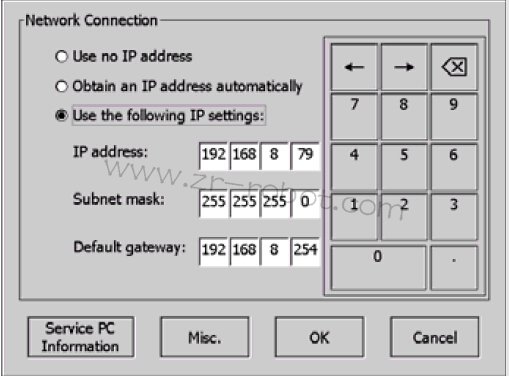
3. 输入您的设置:
1、Use no IP address
2、 Obtain IP address automatically
3、 Use the following settings使用数字键盘输入所需的值。
4. 点击Service PC information 显示在机器人驱动器将服务 PC 连接到控制器服务端口时使用的网络设置。
5. 点击Misc. 显示 FlexPendant 硬件和软件版本。